
Ep. 5: Documents — More Than Just Storage
Documents are the backbone of board work—but they can also be the bane of it. Lost files, outdated versions, and confusing folder structures — especially when directors change every 2 to 3 years — cause frustration and waste time.
In Episode 5, we learn how BoardSpace document management works — tag-based organisation, linked documents, shared libraries, and powerful search so any director can find what they need in seconds.
What It Is
BoardSpace offers two types of document repositories to fit how your organization works:
Board/Committee Repositories:
Each board or committee can maintain its own separate document area, ideal for keeping materials relevant and organized by group.
The Shared Library:
A centralised document library accessible by all boards and committees—perfect for policies, templates, or shared resources.
Together, they create a flexible and organized document system that supports:
- Centralized storage across your organization
- Separate repositories for different boards or committees
- Linking documents to meetings, agenda items, and actions
- Uploading directly while creating minutes
How Does Document Management Work
Documents can be uploaded directly to the shared library or to specific items like:
- Agenda items — attach the supporting report or briefing paper directly to the discussion it relates to
- Meeting minutes — connect reference documents to the official record
- Actions — attach contracts, quotes, or briefs so context travels with the task
- Events — link agendas, venue details, or contracts to the calendar entry
This means no more digging through folders to find “final_v3_revised_updated_FINAL.pdf.” Documents are exactly where you need them—linked to the work they support.
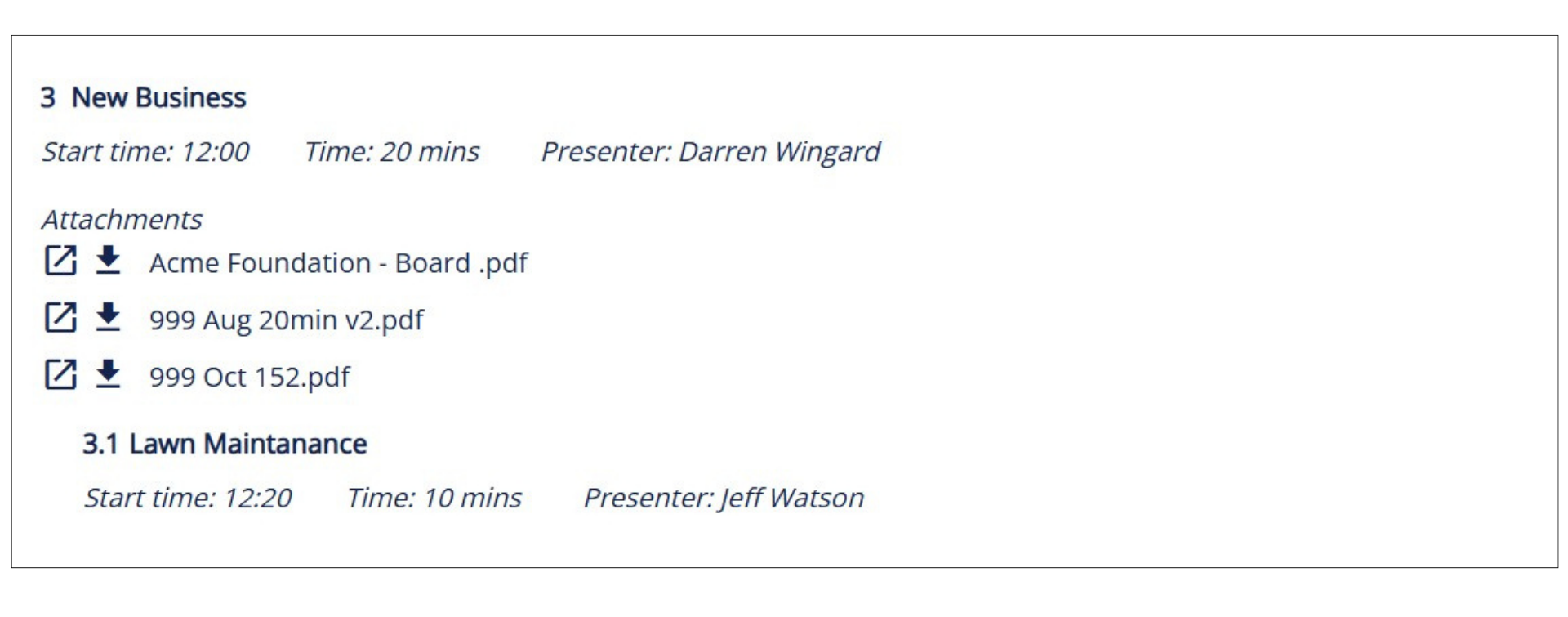
Screenshot: A BoardSpace agenda item with attached documents — everything directors need for that discussion, right where the discussion happens."
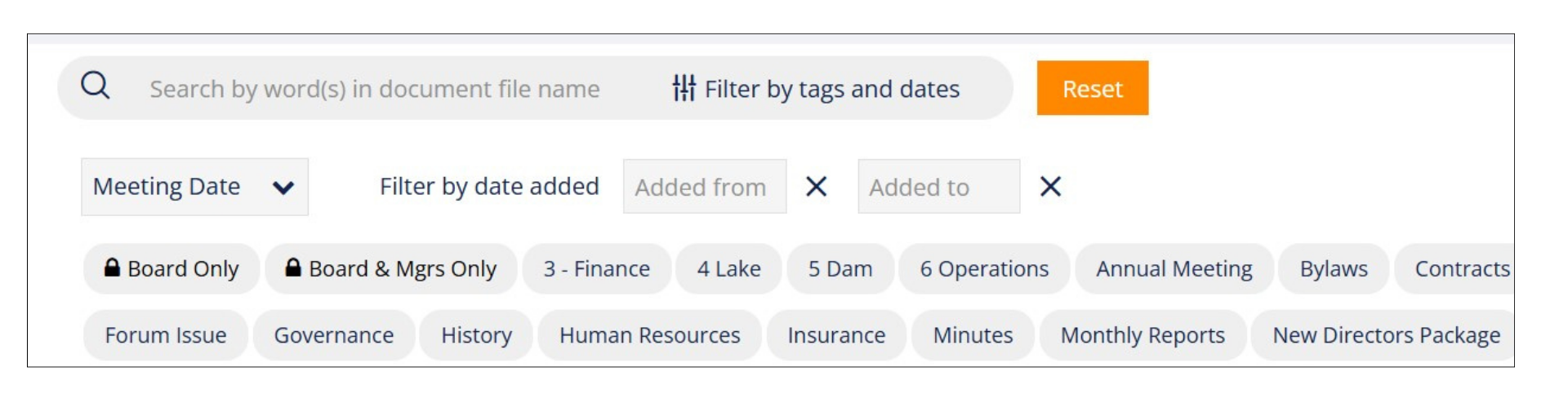
Screenshot: The BoardSpace document library — filter by tag, committee, date, or file type to find exactly what you need.
Before and After BoardSpace: Document Management
Before:
- Files were scattered across email, cloud folders, and USB drives.
- No one was quite sure which version was the most recent.
- Agendas were missing attachments, and minutes referenced documents no one could find.
After:
- Every document lives in one organized library.
- Files are linked directly to agenda items, actions, or events.
- Directors open the meeting page and everything they need is right there—no searching required.
Benefits for Users and Organizations
- Search by tag, file name, committee, or meeting date — without knowing exactly what the file is called.
- Upload once, link everywhere. The same document can be attached to an agenda item, an action, and an event without creating duplicate copies.
- Every document lives next to the item it relates to — so context is never separated from content.
- Share selected documents across committees through the shared library, or keep repositories separate where privacy matters.
Creative Uses
- Create a shared “board onboarding folder” linked to orientation agendas
- Link bylaws or key policies to every agenda for quick access
- Attach reference materials to recurring agenda items for faster meeting prep
Pro Tip: Upload documents from your desktop, cloud drive, or directly within BoardSpace—it all ends up in the right place.
Connected Features
Documents in BoardSpace aren’t isolated—they’re woven into every part of board life:
- Attach documents to motions, actions or events
- Find documents through any connected item (no more guessing where they’re stored)
- Add documents to a meeting package for review ahead of time
BoardSpace doesn’t just store your documents—it puts them to work.
Wrapping Up
Your documents are more than just files—they’re evidence of decisions, policies, and governance in action.
With BoardSpace, they’re always connected to the work that matters.
No mess. No confusion. Just smart, accessible board records — ready when you need them.
Stories from the Board Table
1. Diego, the Digital Neat Freak
Diego used to spend 20 minutes before every meeting hunting for the right files. Now, he links documents to each agenda item as he builds the agenda. When the meeting starts, everything’s ready to go.
2. Priya, the Cross-Committee Coordinator
Priya works with three committees in her nonprofit. She uses separate document folders in BoardSpace to keep things organized—but loves that she can still share one document across all three when needed.
3. Tom, the Recovering Attachment Hoarder
Tom used to attach the same file to three different emails just to make sure everyone saw it. Now, he uploads it once to BoardSpace and links it to the relevant agenda item. No inbox floods. No confusion.
Meme Moments
"If your document is called ‘final_final_v4_REAL_final.pdf’… it’s time for BoardSpace." (BoardSpace: Where one version is the right version.)
"Emailing attachments is not a filing system." (BoardSpace: Store it once. Find it fast.)
"Want to watch a board member panic? Ask them to find last year’s bylaws." (BoardSpace: Don’t panic. Just search.)
Next time on Inside the BoardSpace Toolbox.
A blog series for directors, chairs, and admin pros who want to master the tools of board governance.
Stay tuned for Episode 6, where we pull it all together and show how your board’s records become an organized, trusted governance system.
0 Comments